
7 Best LinkedIn Outreach Tools for Small Agencies
Read Now 7 Best LinkedIn Outreach Tools for Small Agencies The LinkedIn Red Screen of Death You log in to check your leads, but the
Enjoy Lifetime Access to Hour Tag for Just $39!
You open your CRM to start your day, but instead of a list of hot prospects, you’re staring at 5,000 unverified contacts. Most of them haven’t been touched in months. Others were “sourced” by a tool that dumped every name it found into your database without a second thought.
For boutique agency owners and solopreneurs, a messy CRM is a silent killer. You spend more time cleaning data than closing deals. You need fresh leads, but the manual process of moving data from LinkedIn to your sales pipeline is a soul-crushing grind.
The “old way” of automating this—using cloud-based scrapers—is now a massive red flag for LinkedIn’s security team. If you want to scale your lead sourcing and keep HubSpot organized, you need a system that is both safe and selective.
Most teams fall into the “Data Dump” trap. They use tools that push every single prospect into their CRM the moment they are found. This creates “CRM Bloat,” where your sales reps (or just you) have to sift through hundreds of non-responders to find one actual conversation.
The second failure point is account safety. Cloud-based automation tools run on data center IP addresses. LinkedIn’s 2026 detection algorithms see an account logging in from two different locations and immediately flag it. You shouldn’t have to risk your professional reputation just to fill your pipeline.
Finally, most sourcing is static. You scrape a list once, and it slowly dies. You need a loop—a system that finds new people as they enter the market, without you having to click “search” every Monday morning.
XXX
The most efficient agencies in 2026 have moved toward a Selective Sync framework. The goal isn’t to have the most leads in your CRM; it’s to have the best leads.
This framework relies on two core principles:
By combining these, you create an Evergreen Lead Loop. You define your target once, the tool finds the leads, handles the outreach locally, and only alerts your CRM when there is a real person ready to talk.
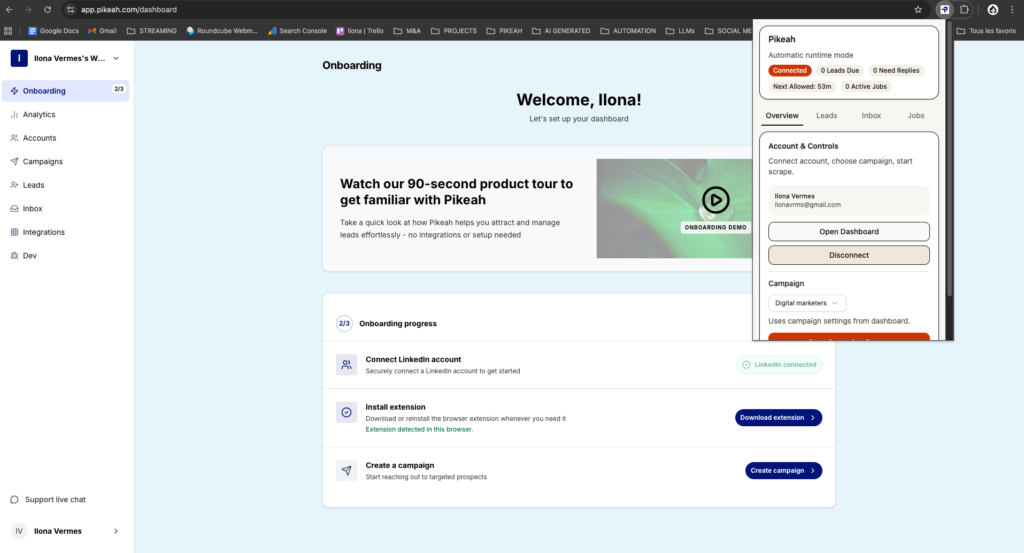
Pikeah is built specifically for small teams who prioritize account safety and CRM cleanliness. It is a local-first platform that stays under LinkedIn’s radar.
Apollo is a massive database that offers a direct, native integration with HubSpot. It’s excellent for finding verified emails and phone numbers. While it’s great for high-volume outbound, you must be careful not to overwhelm your CRM with “cold” data that hasn’t been engaged yet.
Surfe acts as a bridge between your LinkedIn browser and your CRM. It adds a side panel to the LinkedIn interface that allows you to see if a profile is already in your HubSpot. It’s perfect for manual prospectors who want to add leads with a single click.
Lusha is the gold standard for contact data accuracy. Their HubSpot integration allows you to “map” fields so that when you find a lead on LinkedIn, their mobile number and direct email are perfectly formatted in your CRM. It’s a specialized tool for teams that combine LinkedIn outreach with cold calling.
Wiza is designed specifically for Sales Navigator users. It scrapes your search results and verifies the emails in real-time. Their direct sync to HubSpot allows you to move entire lists into your CRM, though you’ll need to use a separate tool for the actual LinkedIn outreach.

XXX
Don’t use static lists. Go to Sales Navigator and build a search for your “Ideal Customer Profile.”
Use a local-first extension. Because it runs on your computer, it uses your actual IP address. This mimics human patterns—scrolling, clicking, and waiting—which is the only way to stay safe on LinkedIn in 2026.
Set your integration to “Reply-Only.” This is the secret to a high-performance HubSpot setup. When a lead says “Tell me more,” the tool creates the contact, logs the message history, and sets a task for you to follow up. Your CRM becomes a list of opportunities, not a list of names.
When your sourcing and CRM sync are aligned, you should see a significant jump in efficiency:
You don’t need more tools; you need tools that work together without creating more work for you. By combining local-first lead sourcing with a HubSpot sync that prioritizes replies, you can build a sustainable, safe, and scalable sales machine.
Let the software handle the search and the “ping,” so you can focus on the “close.”
Read Now 7 Best LinkedIn Outreach Tools for Small Agencies The LinkedIn Red Screen of Death You log in to check your leads, but the
Read Now 5 Best Lead Sourcing Tools with Direct HubSpot Sync (2026) Your HubSpot is a Graveyard of Cold Leads You open your CRM to
Read Now Best B2B Tech Stack for LinkedIn Prospecting on a Budget Your Growth is Stuck Behind a Paywall You know you need a better