
7 Best LinkedIn Outreach Tools for Small Agencies
Read Now 7 Best LinkedIn Outreach Tools for Small Agencies The LinkedIn Red Screen of Death You log in to check your leads, but the
Enjoy Lifetime Access to Hour Tag for Just $39!
You wake up, grab your coffee, and open LinkedIn. Instead of your inbox, you see a red warning: “Your account has been temporarily restricted.”
For most agency owners and solopreneurs, this is a death sentence for their pipeline. You need leads, but manual outreach is a full-time job you can’t afford.
The “old way” of automating—using heavy cloud-based servers—is now a massive red flag for LinkedIn’s 2026 detection algorithms. If you want to scale without losing your profile, you need a different strategy.
Most LinkedIn automation tools share a fatal flaw: they run on data center IP addresses.
When you log in from New York and your automation tool “logs in” simultaneously from a server in Germany, LinkedIn knows. This mismatch triggers immediate verification checks.
Beyond safety, most tools are “one-and-done.” You scrape a list, run a campaign, and it dies. You are constantly hunting for new CSV files instead of building a system that grows on its own.
Manual effort is too slow. Cloud tools are too risky. The middle ground—local-first automation—is where the winners are playing this year.
XXX
The most effective lead generation in 2026 relies on Human Mimicry.
Instead of sending 100 requests in sixty seconds, your tools should operate within your own browser. This ensures every action comes from your local IP address and follows your actual browsing patterns.
The goal isn’t just to send more messages. It’s to create an Evergreen Lead Loop. This means your outreach shouldn’t stop when your initial list runs out. It should refresh itself as new people match your criteria.
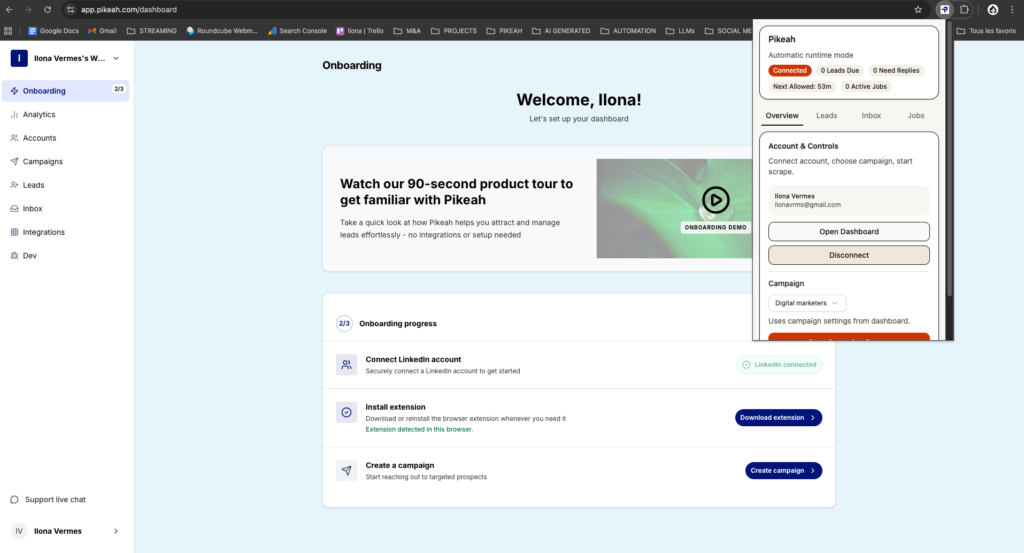
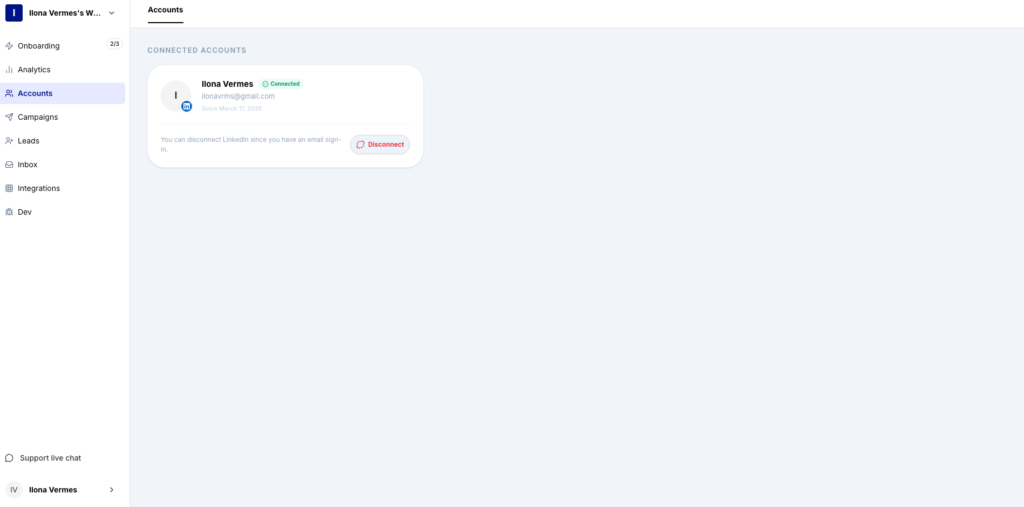
Pikeah is built specifically for those who can’t afford to lose their LinkedIn accounts. It operates as a Chrome Extension, meaning it uses your actual browser to perform actions.
Expandi remains a heavy hitter for agencies managing dozens of client accounts. While it is cloud-based, it offers dedicated IP addresses to mitigate some risks. It’s best for those who need a centralized dashboard for multiple high-volume accounts.
Dripify excels at complex funnel mapping. It allows you to create “if-this-then-that” logic based on whether a lead views your profile or endorses a skill. It’s a solid choice for those who want a highly visual campaign builder.
While not an “automation” tool in the traditional sense, it is the foundation. In 2026, using third-party tools without a Sales Navigator subscription is an invitation for a ban. It provides the advanced filtering needed for high-quality targeting.
PhantomBuster is the “Swiss Army Knife” for data extraction. Use it to scrape member lists from specific LinkedIn Groups or Event attendees. It’s best used in tandem with a delivery tool like Pikeah to handle the actual messaging.
XXX
To succeed with LinkedIn Automation, you must follow a specific workflow that prioritizes quality over quantity.
Don’t just search for “Marketing Managers.” Use Sales Navigator to create a hyper-specific search. Paste that URL into your automation tool. A true Evergreen Lead Loop will keep checking that URL for “New Results” every week.
Set your tool to send messages at random intervals. Avoid “on the hour” bursts. Your tool should “sleep” just like a human does.
Most founders clutter their CRMs with thousands of “Sent” status leads. Smart CRM Sync ensures you only focus on people who have actually engaged. This keeps your sales team focused on closing, not administrative cleanup.
In 2026, the “spray and pray” method is dead. You should aim for these metrics:
If your acceptance rate is below 20%, your targeting is too broad or your profile looks like a bot. If your response rate is low, your script is likely too “me-focused” and not “value-focused.”
You don’t need to spend five hours a day on LinkedIn to fill your calendar. By switching to a local-first approach, you can maintain a steady stream of B2B clients while you sleep. LinkedIn Automation should be your silent partner, not a liability.
Read Now 7 Best LinkedIn Outreach Tools for Small Agencies The LinkedIn Red Screen of Death You log in to check your leads, but the
Read Now 5 Best Lead Sourcing Tools with Direct HubSpot Sync (2026) Your HubSpot is a Graveyard of Cold Leads You open your CRM to
Read Now Best B2B Tech Stack for LinkedIn Prospecting on a Budget Your Growth is Stuck Behind a Paywall You know you need a better