
7 Best LinkedIn Outreach Tools for Small Agencies
Read Now 7 Best LinkedIn Outreach Tools for Small Agencies The LinkedIn Red Screen of Death You log in to check your leads, but the
Enjoy Lifetime Access to Hour Tag for Just $39!
You spent three hours perfecting your Sales Navigator filters. You have a list of 2,500 ideal prospects, but they are stuck inside LinkedIn’s “walled garden.” To get them into your CRM or an outreach sequence, you’re either looking at weeks of manual copy-pasting or risking a permanent account ban with a sketchy cloud bot.
For boutique agency owners and solopreneurs, this is the ultimate growth bottleneck. You have the data, but you can’t move it.
The reality of 2026 is that LinkedIn is smarter than ever. If you use a tool that logs into your account from a remote server to scrape LinkedIn leads, you are essentially painting a target on your back. You need a way to extract that data that looks exactly like a human browsing their own feed.
Most teams rely on “Cloud Scrapers.” These tools take your login cookies and run sessions on high-speed servers in a different country. LinkedIn detects the IP mismatch and the “inhuman” speed of data extraction, leading to an immediate account restriction.
Even if you don’t get banned, the data is often static. You scrape a list today, and by next week, it’s outdated. New decision-makers join companies every day, but your static CSV doesn’t know that.
The biggest failure, however, is “Data Bloat.” Most tools dump every single scraped profile into your HubSpot or Salesforce. Your CRM becomes a graveyard of 5,000 “cold” contacts that no one has time to call, ruining your sales efficiency.
XXX
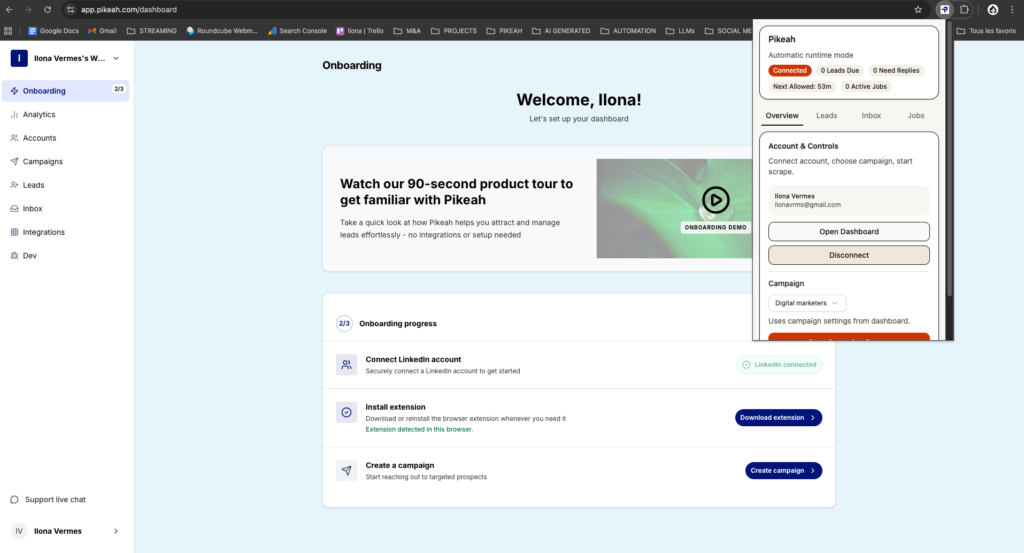
The safest way to scrape LinkedIn leads in 2026 is through Local-First Automation. This means the tool runs as a Chrome Extension on your actual computer, using your actual IP address.
By operating within your browser, the tool mimics human behavior—scrolling, clicking, and pausing—making it nearly impossible for LinkedIn to distinguish the tool from you.
The goal isn’t just to get a one-time list. It’s to create an Evergreen Lead Loop. You want a system where you paste your Sales Navigator search URL once, and the software continuously finds and adds new prospects to your campaign as they match your filters.
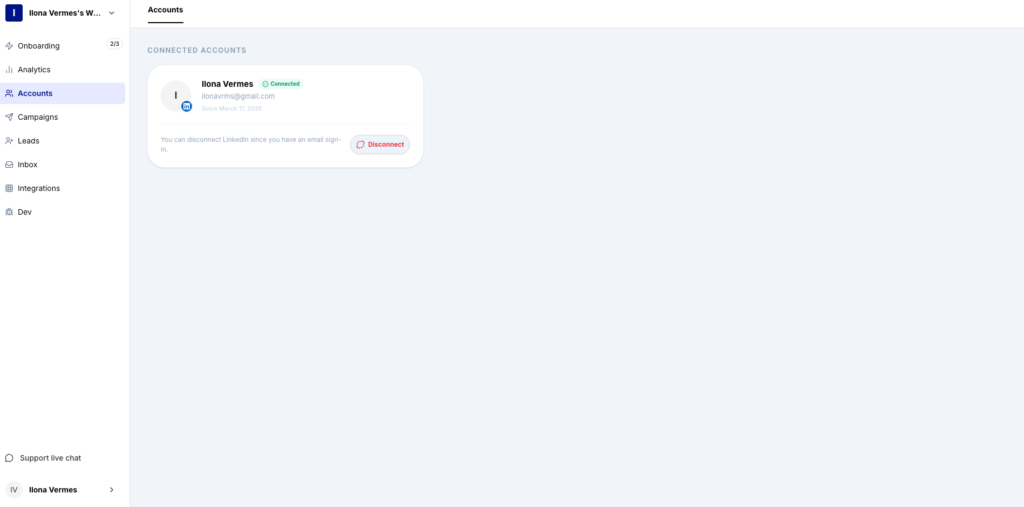
Pikeah is built for agencies that prioritize account safety above all else. It doesn’t just scrape; it manages the entire lifecycle of a lead.
Wiza is a powerhouse for Sales Navigator users who specifically need verified email addresses. It scrapes the list and performs a real-time SMTP check to ensure the emails won’t bounce. It’s excellent for one-off exports but requires a separate tool for the actual outreach.
PhantomBuster is a versatile “wrapper” for various LinkedIn tasks. It can scrape leads from groups, post commenters, or search results. While it offers cloud execution, you must be very careful with its “Proxy” settings to avoid detection.
Evaboot is a dedicated Sales Navigator scraper that focuses on data cleaning. It automatically filters out prospects that don’t actually match your search criteria (a common LinkedIn glitch), saving you from reaching out to the wrong people.
Kaspr provides a Chrome Extension that lets you “reveal” contact information one by one or in bulk. It is particularly strong for finding B2B phone numbers, making it a favorite for teams that combine LinkedIn outreach with cold calling.
XXX
Don’t just scrape a “List.” Scrape a “Search.” When you use a search URL in a tool like Pikeah, the list updates itself. This creates a recurring stream of new prospects without you ever having to click “export” again.
Set your tools to work during your actual office hours. If a tool is trying to scrape LinkedIn leads at 3:00 AM while you are asleep, it creates a footprint that LinkedIn’s security team can easily spot.
Only move “warm” leads into your primary CRM. Use a Smart CRM Sync to ensure your Salesforce or HubSpot only contains people who have raised their hand and replied to your message.
If your system is set up correctly, you should see the following performance:
Exporting data shouldn’t feel like a gamble. By moving to a local-first, browser-based system, you can build a lead generation machine that is both scalable and safe. Focus on the strategy, and let the software handle the manual labor of finding and engaging your next big client. You are one search URL away from a full calendar.
Read Now 7 Best LinkedIn Outreach Tools for Small Agencies The LinkedIn Red Screen of Death You log in to check your leads, but the
Read Now 5 Best Lead Sourcing Tools with Direct HubSpot Sync (2026) Your HubSpot is a Graveyard of Cold Leads You open your CRM to
Read Now Best B2B Tech Stack for LinkedIn Prospecting on a Budget Your Growth is Stuck Behind a Paywall You know you need a better