
7 Best LinkedIn Outreach Tools for Small Agencies
Read Now 7 Best LinkedIn Outreach Tools for Small Agencies The LinkedIn Red Screen of Death You log in to check your leads, but the
Enjoy Lifetime Access to Hour Tag for Just $39!
You get the notification: “Someone at [Target Company] viewed your profile.” Your heart jumps. You check the name. It’s a Decision Maker you’ve been trying to reach for months.
This is the “Soft Touch” of B2B sales. When you visit a prospect’s profile or endorse their skills, you trigger a notification on their phone. It’s a non-intrusive way to say, “I’m here,” before you ever send a pitch.
But doing this manually for 50 prospects a day is a grind. You need a system to scale this curiosity, but you’ve heard the horror stories. One wrong move with a cloud-based bot and LinkedIn locks your account forever. In 2026, the goal isn’t just volume—it’s staying invisible to detection.
Most tools that offer automation of LinkedIn profile visits are built on cloud servers. They log into your account from a remote data center. When LinkedIn sees your account active in New York and Virginia at the exact same time, it triggers a security red flag.
These legacy tools also lack “Human Mimicry.” They visit 100 profiles in 100 seconds with zero pauses. Real humans don’t browse like that. They scroll, they linger, and they take breaks.
Finally, most tools are “dead-end” systems. You scrape a list, visit the profiles once, and the campaign ends. You have to manually find new leads every Monday morning. That isn’t a strategy; it’s a part-time job you didn’t ask for.
XXX
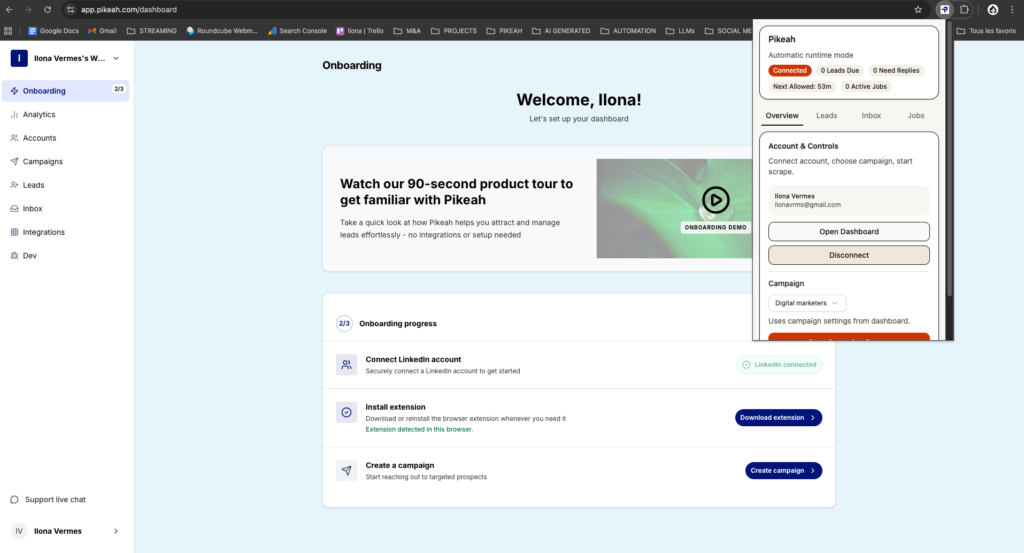
The most successful agency owners in 2026 use a Local-First framework. Instead of delegating your login to a distant server, the tool runs as a Chrome Extension on your own hardware.
This ensures all activity happens on your local IP address. It looks exactly like you are browsing the site yourself. By staying local, you avoid the geographic triggers that lead to account restrictions.
The goal is to create an Evergreen Lead Loop. You define your target audience once, and the system continuously finds new prospects to “warm up” with visits and endorsements. This keeps your “Who’s Viewed Your Profile” section full of people who are now curious about you.
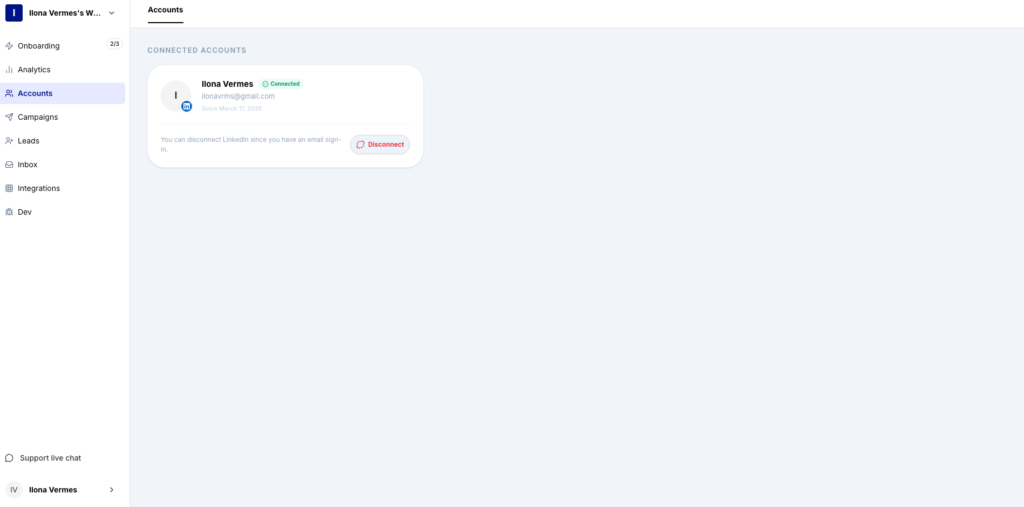
Pikeah is built for those who prioritize account longevity. It’s a local-first extension that turns profile visits into a sophisticated warming strategy.
Dux-Soup is one of the oldest names in the game. It’s a browser-based tool that excels at “auto-visiting” to trigger notifications. It’s reliable for simple tasks, though it lacks the advanced CRM hygiene and AI-writing features of modern platforms.
Dripify allows you to build complex “if-this-then-that” funnels. You can set it to visit a profile, wait two days, and if they haven’t followed you back, endorse a skill. It’s a solid choice for teams that want a visual map of their outreach flow.
LinkedHelper is a standalone application rather than a simple extension. It offers deep customization for endorsements and follows. Because it’s a separate app, it can be more technical to set up, but it provides granular control over daily action limits.
Waalaxy is known for its beautiful user interface. It’s great for beginners who want to automate profile visits and emails in one place. It uses a “Cloud Lite” approach, though Mac users should ensure they are comfortable with its session-sharing model.
SalesRobot focuses on the “Human Mimicry” aspect. It randomizes the timing of visits and endorsements to ensure they don’t happen at predictable intervals. It also includes an AI “Chat” feature to handle basic incoming replies.
While primarily a scraper, Evaboot is essential for cleaning your lists before you automate visits. It ensures you aren’t “auto-visiting” the wrong people, which protects your professional reputation and saves your daily action limits for high-value targets.
XXX
The first step in any automation of LinkedIn profile visits is the “Ping.”
Two days after the visit, have your tool endorse the prospect for a top skill (like “Sales Management” or “Digital Marketing”).
Don’t clutter your CRM with everyone you’ve visited. Use Smart CRM Sync to only log the win. When that “warmed up” prospect finally replies to your message, the tool should automatically push their data and the conversation history into your CRM.
In 2026, success isn’t about how many visits you can do, but how many inbound profile views you get in return.
You don’t have to choose between “doing nothing” and “getting banned.” By using a local-first system for the automation of LinkedIn profile visits, you can stay top-of-mind with your ideal clients while you focus on closing deals. Let your browser do the networking while you handle the strategy.
Read Now 7 Best LinkedIn Outreach Tools for Small Agencies The LinkedIn Red Screen of Death You log in to check your leads, but the
Read Now 5 Best Lead Sourcing Tools with Direct HubSpot Sync (2026) Your HubSpot is a Graveyard of Cold Leads You open your CRM to
Read Now Best B2B Tech Stack for LinkedIn Prospecting on a Budget Your Growth is Stuck Behind a Paywall You know you need a better