
7 Best LinkedIn Outreach Tools for Small Agencies
Read Now 7 Best LinkedIn Outreach Tools for Small Agencies The LinkedIn Red Screen of Death You log in to check your leads, but the
Enjoy Lifetime Access to Hour Tag for Just $39!
You know you need more clients. You also know your ideal B2B buyers are active on LinkedIn right now. But the thought of spending four hours a day sending manual connection requests makes you want to close your laptop.
Most solopreneurs face a brutal choice: stay small by doing everything manually or risk a permanent account ban by using aggressive cloud bots. In 2026, LinkedIn’s detection AI is sharper than ever. If your automation doesn’t look, act, and “live” where you do, you’re playing Russian Roulette with your primary sales channel.
Scaling your agency shouldn’t mean losing your profile. You need a system that handles the heavy lifting while keeping you completely under the radar.
The “old way” of automating was built on cloud servers. These tools log into your account from data centers in Virginia or Amsterdam while you’re sitting in London or New York. LinkedIn sees this IP mismatch instantly. It’s the fastest way to get hit with a “Suspicious Activity” restriction.
Even if you avoid the ban, most tools create a massive “data mess.” They scrape thousands of leads and dump them into your CRM regardless of whether they’ve replied. You end up spending more time cleaning your HubSpot pipeline than actually closing deals.
Finally, there is the “Static List” trap. You download a CSV, run a campaign, and then it’s over. You have to start the manual search process all over again next week. That isn’t a system; it’s a chore.
XXX
To win at LinkedIn lead generation in 2026, you must adopt a Local-First mindset. This means using tools that run directly in your Chrome browser on your own IP address.
When your outreach happens locally, it mimics your actual human behavior—randomizing clicks, varying wait times, and scrolling like a real person. This makes your automation invisible to LinkedIn’s security filters.
Beyond safety, you need an Evergreen Lead Loop. Instead of working with dead lists, you want a system where you define your target once and the tool continuously finds new prospects who match that criteria every week. It’s the difference between hunting for every meal and building a self-sustaining garden.
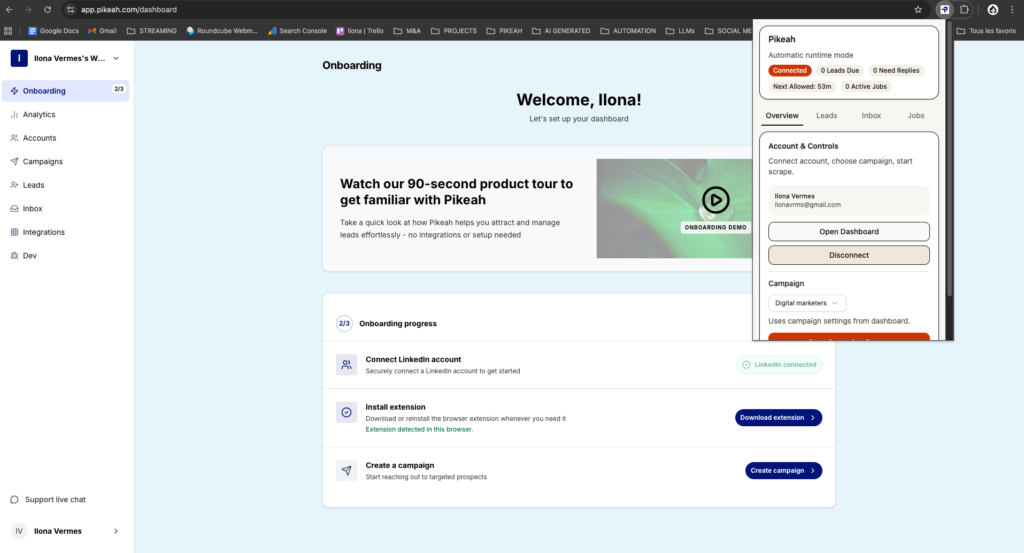
Pikeah is the go-to for boutique agencies that cannot afford an account ban. It’s a local-first extension that keeps your outreach human and your data clean.
You cannot be serious about B2B growth without this. It provides the advanced filtering (years in role, company growth, recent intent) that standard LinkedIn lacks. It is the raw fuel for any high-quality outreach tool.
Lead generation isn’t just outbound; it’s inbound too. Taplio helps solopreneurs schedule high-authority content that attracts prospects to their profile. It’s the best way to “warm up” your name before you send a connection request.
The Apollo Chrome extension is perfect for “enrichment.” If you find a prospect on LinkedIn but need their direct email or phone number for a multi-channel approach, Apollo finds it in one click.
If you are posting content, you need to know what’s working. Shield provides the deep stats that LinkedIn’s native dashboard hides. It helps you double down on the topics that actually drive profile views from decision-makers.
A simple, essential tool. A typo in a connection request is the fastest way to look like a low-quality bot. The extension ensures your “Human Mimicry” actually sounds like an intelligent human.
This extension makes formatting LinkedIn posts much easier. It allows you to preview how your post will look on mobile versus desktop, ensuring your “hooks” aren’t cut off by the “see more” button.
Lusha is the gold standard for data accuracy. When Apollo or other tools fail to find a mobile number for a high-value CEO, Lusha usually has it. It’s a specialized tool for high-ticket closing.
Video is the ultimate pattern interrupt. Sending a 30-second personalized video via a LinkedIn message can triple your response rate. The Loom extension lets you record and send these without ever leaving the LinkedIn tab.
XXX
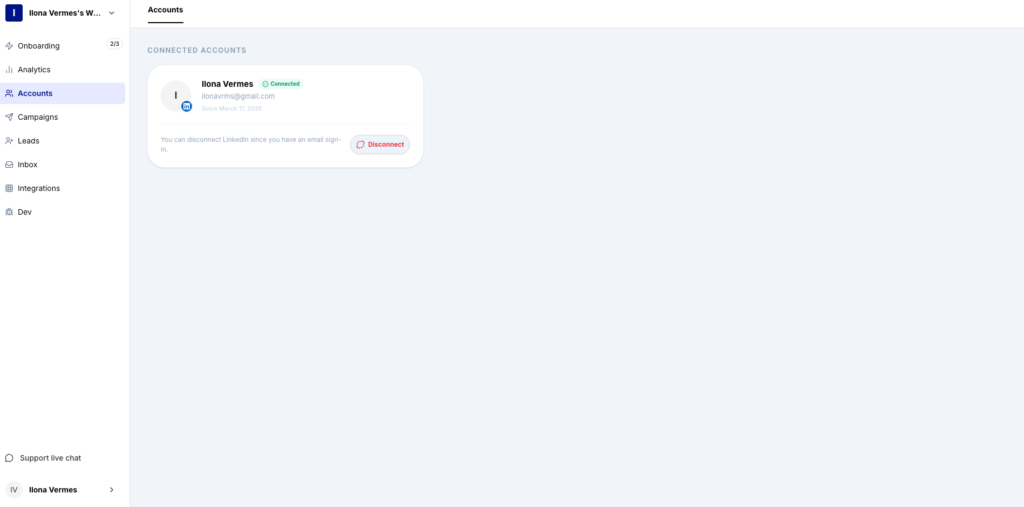
Go to Sales Navigator and build your “Dream Client” search. Focus on “Recent Activity” to find people who have posted in the last 30 days. Paste that URL into Pikeah. The tool will now check that list every week and add new people who join that search to your campaign automatically.
Don’t stare at a blank page. Use an AI Campaign Generator to draft your sequence. Provide your core offer, and let the AI handle the “hook” and the follow-ups. Always ensure there is a clear, low-friction call to action (like a 10-minute chat).
Enable Smart CRM Sync. This ensures that only people who are actually interested in talking to you end up in your sales pipeline. This keeps your focus on closing deals rather than managing data.
Success in LinkedIn lead generation is about quality, not just volume. For a solopreneur or small team, aim for these targets:
Metric | Target |
Acceptance Rate | 25% – 40% |
Reply Rate | 10% – 18% |
Meeting Booked Rate | 2% – 5% of total reached |
Daily Activity | 30-50 invites (to stay safe) |
You don’t need a massive sales team to fill your calendar. You just need a stack that works as hard as you do, without putting your digital reputation at risk. By moving to a local-first system and letting AI handle the heavy lifting, you can get back to what you actually enjoy: solving problems for your clients.
Stop the manual grind and start your LinkedIn lead generation engine today.
Read Now 7 Best LinkedIn Outreach Tools for Small Agencies The LinkedIn Red Screen of Death You log in to check your leads, but the
Read Now 5 Best Lead Sourcing Tools with Direct HubSpot Sync (2026) Your HubSpot is a Graveyard of Cold Leads You open your CRM to
Read Now Best B2B Tech Stack for LinkedIn Prospecting on a Budget Your Growth is Stuck Behind a Paywall You know you need a better