

Scaling Acceptance Rates with Dynamic Personalization
Read Now Scaling Acceptance Rates with Dynamic Personalization Most LinkedIn connection requests get ignored. Not because your offer is bad. Not because your profile needs
Enjoy Lifetime Access to Hour Tag for Just $39!
If you’ve ever had a LinkedIn account restricted, warned, or outright banned while using an automation tool, there’s a good chance you were running cloud-based software. It’s one of the most common — and most avoidable — mistakes in LinkedIn outreach.
The automation category has two fundamentally different architectures: tools that run from remote servers in the cloud, and tools that run locally inside your browser. The difference isn’t just technical. It determines how LinkedIn sees your activity, how safe your account is, and ultimately how sustainable your outreach can be at scale.
This article explains exactly why browser-based tools consistently outperform cloud automation for LinkedIn — and what that means for anyone building a serious lead generation system.
Cloud-based LinkedIn automation tools operate by logging into your account from a remote server. That server sits in a data center — somewhere in Frankfurt, Virginia, or Singapore — with an IP address that has nothing to do with you, your city, or your usual browsing behavior.
From LinkedIn’s perspective, this creates an immediate anomaly. Your account normally logs in from Paris. Suddenly, activity is coming from a data center IP in a completely different country, at unusual hours, performing actions at a perfectly mechanical pace with zero variation.
LinkedIn’s anti-abuse systems are built to catch exactly this pattern. The signals they monitor include:
When enough of these signals fire together, LinkedIn takes action. Sometimes it’s a CAPTCHA. Sometimes it’s a warning email. Sometimes it’s a full account restriction — which means losing the connections, the content, and the pipeline you’ve built over years.
Cloud tools create this risk by design. No matter how good their proxy rotation or user-agent spoofing is, they’re fighting LinkedIn’s detection layer from a fundamentally weak position.
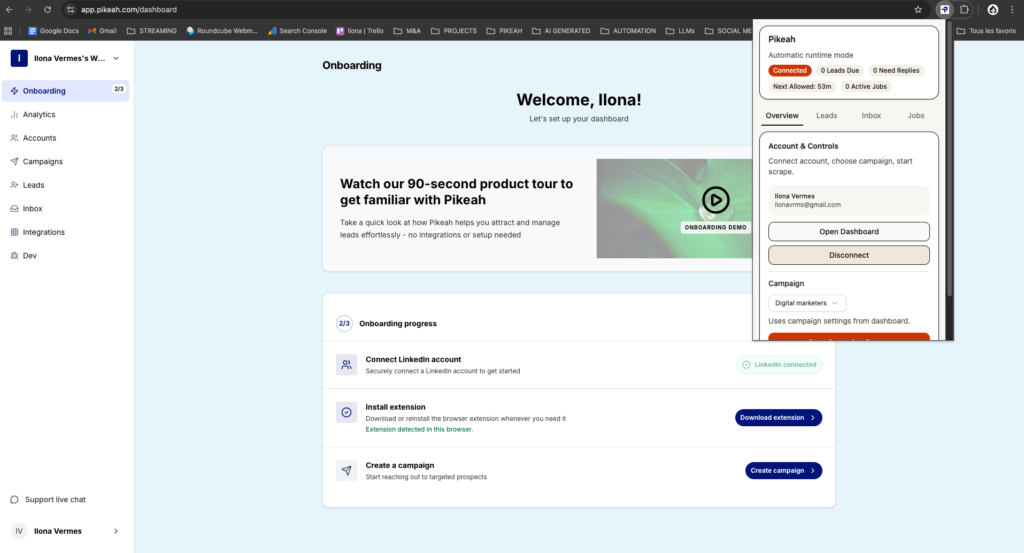
Pikeah runs directly inside your browser as a Chrome Extension — no remote server, no data center IP, just your real session doing the work.
Browser-based tools — built as Chrome Extensions — take a completely different approach. Instead of logging into your LinkedIn account from a remote server, they run inside your actual browser session, on your actual device, using your actual IP address.
When Pikeah executes an action on LinkedIn, it looks identical to you clicking that button yourself. Because structurally, it is. The same browser, the same IP, the same session cookies, the same device fingerprint. LinkedIn sees a single, consistent user — because that’s exactly what it is.
This closes the door on the most common detection vectors that get cloud accounts banned:
The result is automation that LinkedIn’s systems interpret as normal human behavior — because the underlying signals are genuinely human.
Running locally is the foundation, but a well-built browser extension goes further. The specific behaviors that separate safe browser-based tools from risky ones come down to how they handle volume, timing, and account health.
Randomized action delays. Human beings don’t click at precisely 3-second intervals. They pause, read, scroll back. Good browser-based automation introduces random delays between actions — variable enough to mimic real behavior, consistent enough to stay efficient.
Daily limit enforcement. LinkedIn has soft thresholds for how many connection requests, messages, and profile views are acceptable in a single day. A browser-based tool that respects these limits — and enforces them automatically — keeps your account in the safe zone indefinitely. Cloud tools under competitive pressure to show “results” often push these limits until the account gets flagged.
Pending request monitoring. One of the fastest ways to trigger LinkedIn’s spam filters is accumulating hundreds of unanswered connection requests. Pikeah monitors your pending queue in real time and automatically pauses new invitations when the count gets too high — protecting your account health without requiring manual intervention.
Automatic sequence pausing on replies. When a lead replies, the sequence should stop. Sending a follow-up automation message to someone who already responded makes you look like a bot — because that’s what a bot does. Browser-based tools with reply detection remove leads from sequences instantly when a response comes in.
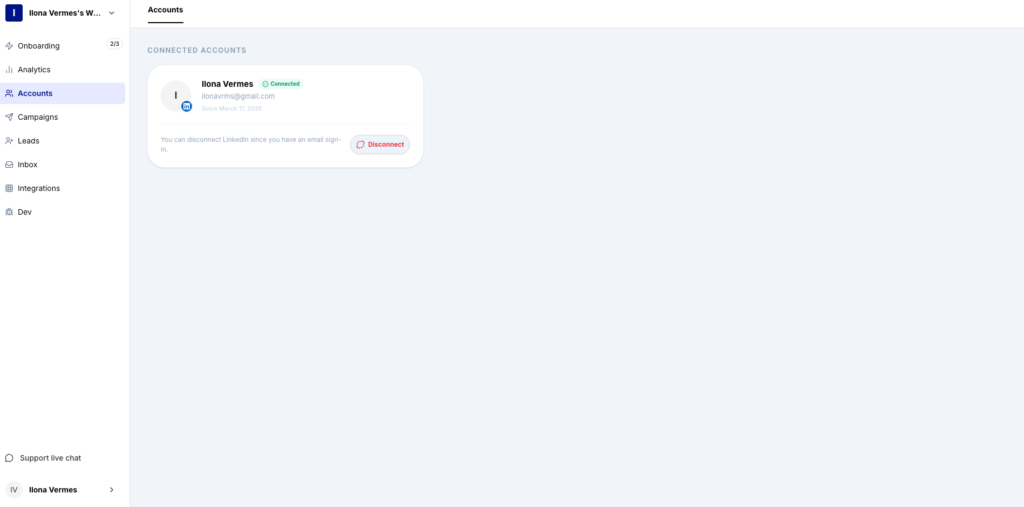
Pikeah connects to your actual LinkedIn session, meaning every action comes from your real IP address — exactly what keeps your account safe from detection.
The safety argument alone is compelling, but browser-based tools also tend to outperform cloud alternatives on actual outreach metrics.
Higher deliverability. Because messages originate from a genuine session, they’re less likely to be filtered, flagged as spam, or suppressed in LinkedIn’s notification system. Leads actually see your messages.
More reliable execution. Cloud tools depend on remote server uptime, proxy health, and API stability — variables outside your control. When a proxy rotates badly or a server goes down, your campaign pauses or fails silently. A browser extension runs as long as your browser is open, with no external dependencies to manage.
Better sequence fidelity. Timing in drip sequences matters. Day 1, Day 5, Day 12 — those gaps exist for a reason. Cloud tools running on batched schedules can drift significantly from intended timing. Local execution keeps sequences on track because they’re tied to real-time browser events, not server job queues.
Cloud backup without cloud risk. The common objection to browser-based tools is that closing your laptop stops the automation. That’s true for execution — but it doesn’t mean you lose your data. Pikeah backs up all campaign data, lead progress, and sequence state to the cloud continuously. Your campaigns resume exactly where they left off when you reopen the browser.
If you’re running LinkedIn outreach for the short term — a one-time campaign, a quick list push — the distinction between cloud and browser-based might feel academic. Run it, get the results, move on.
But if LinkedIn is a core channel for your business — if your account represents years of connections, content, and credibility — the architecture of your automation tool is a strategic decision.
Cloud tools trade your account safety for the convenience of running 24/7 without your laptop open. Browser-based tools trade that always-on capability for a fundamentally safer execution environment that compounds over time without jeopardizing what you’ve built.
For most serious LinkedIn users — solopreneurs, sales teams, agencies — the math is straightforward. The cost of an account restriction, even temporarily, far outweighs the inconvenience of keeping a browser tab open during business hours.
Cloud automation gets LinkedIn accounts banned because it creates exactly the signals LinkedIn’s systems are trained to detect. Browser-based tools eliminate those signals by running where they belong — inside your real browser session, using your real IP, behaving like a real user.
The performance gap isn’t marginal. Safer execution means more consistent outreach, higher deliverability, and the ability to run campaigns for months without interruption. That’s what long-term lead generation actually requires.
Pikeah is built on this architecture — a Chrome Extension running locally, with cloud backup for continuity, designed to protect your account while scaling your outreach safely.
Read Now Scaling Acceptance Rates with Dynamic Personalization Most LinkedIn connection requests get ignored. Not because your offer is bad. Not because your profile needs

Read Now Building a Predictable LinkedIn Lead Engine Most LinkedIn outreach looks like this: you spend a few motivated hours sending connection requests, a reply

Read Now Why Browser-Based Tools Outperform Cloud Automation If you’ve ever had a LinkedIn account restricted, warned, or outright banned while using an automation tool,