Enjoy Lifetime Access to Hour Tag for Just $39!

How to Mimic Human Behavior in LinkedIn Automation (2026)

How to Mimic Human Behavior in LinkedIn Automation (2026)

The “Bot” Label is a Death Sentence for Your Pipeline

You’ve seen the messages. The ones that arrive at 3:00 AM, address you by the wrong name, and pitch a service before you’ve even said hello. You delete them instantly.

LinkedIn’s AI is doing the same thing. In 2026, the platform doesn’t just look for “automation”—it looks for “non-human” patterns. If your outreach looks like a script running on a server, your account is already on a countdown to restriction.

For solopreneurs and small agency owners, the challenge is clear. You need to automate to survive, but you must mimic human behavior so perfectly that neither the algorithm nor the prospect can tell the difference.

Why the Current Approach to LinkedIn Automation Sequences Fails

Most LinkedIn tools were built for a version of the internet that no longer exists. They rely on cloud-based servers that “hop” between IP addresses. When you log in from your office while your tool “logs in” from a data center 2,000 miles away, you trigger a red flag.

These legacy tools also suffer from “Perfect Timing Disease.” They send an invite every exactly 120 seconds. No human works like that. Humans get distracted, they scroll through feeds, and they take lunch breaks.

Furthermore, generic LinkedIn automation sequences often rely on static CSV files. You scrape a list, upload it, and blast it. By the time you reach the 100th person, the data is cold. The outreach feels stale because it isn’t reacting to real-time changes in the market.

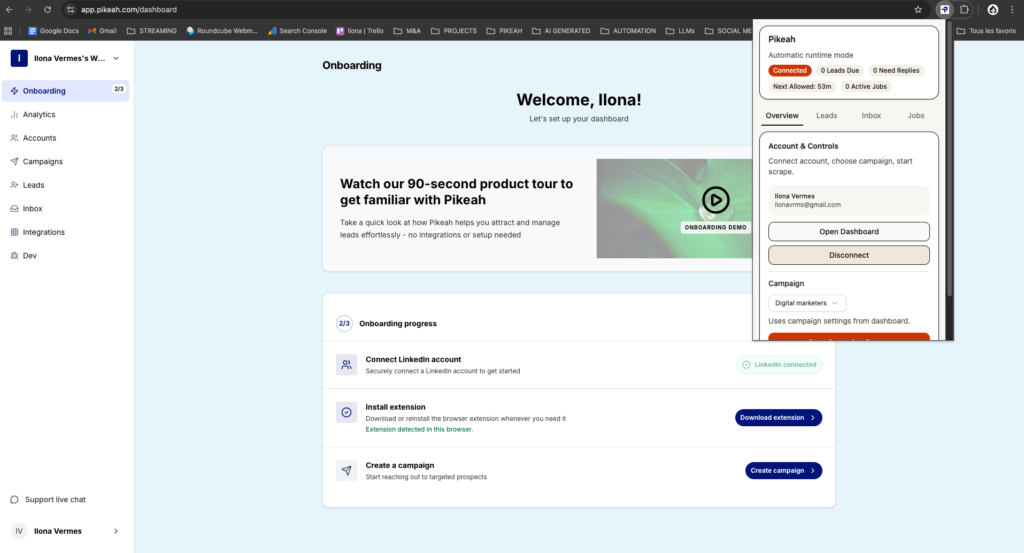
extension Pikeah

XXX

The Framework: Local-First Human Mimicry

The most successful boutique agencies in 2026 have moved to a Local-First framework. This means the automation doesn’t live in the cloud. It lives inside your own browser.

By running outreach directly on your hardware and IP address, you eliminate the geographic triggers that lead to bans. To LinkedIn, the actions are coming from the same “fingerprint” as your manual browsing.

The goal is to create an Evergreen Lead Loop. You want a system that finds and engages leads at a rhythmic, human pace. Instead of a “blast,” you create a “drip” that stays active 365 days a year, finding new prospects as they match your criteria and reaching out when you are actually “online.”

How it Works in Practice: Mimicking the Human Touch

To effectively mimic human behavior, your LinkedIn automation sequences need to move beyond simple text replacement. You need to replicate the physical and cognitive patterns of a real salesperson.

1. Randomized Execution Delays

Humans are unpredictable. Your tool should be too.

  • Variable Intervals: Never send messages at fixed times. A human might take 30 seconds to send one note and 5 minutes to send the next.
  • Scrolling and “Lurking”: Before sending an invitation, the tool should visit the profile, scroll through the experience section, and “wait” as if reading.
  • Daily Caps with Variance: Don’t send exactly 30 invites every day. Send 28 on Monday, 34 on Tuesday, and 22 on Wednesday.

2. The AI Campaign Architect

A human doesn’t send the same message to 500 people. They adapt their core offer to the prospect.

  • Use an AI Campaign Generator to draft your sequences.
  • Describe your offer in one sentence, and let the AI build a multi-step flow that addresses specific pain points.
  • This ensures your “hooks” sound conversational and professional, not like a template from 2018.

3. Establishing the Evergreen Lead Loop

A real salesperson is always looking for fresh opportunities.

  • Paste a LinkedIn Search URL once into your tool.
  • The system monitors that search and injects “New Results” into your campaign every week.
  • This mimics the behavior of a founder who checks their target search daily and reaches out to new, relevant people as they appear.

4. Smart CRM Sync and Hygiene

Humans don’t log “Sent” messages in a CRM for fun. They log interested leads.

  • Connect your HubSpot or Salesforce.
  • Set the tool to only push data after a prospect replies.

This Smart CRM Sync keeps your sales pipeline clean and mirrors the way a real founder operates: focusing only on the people who want to talk.

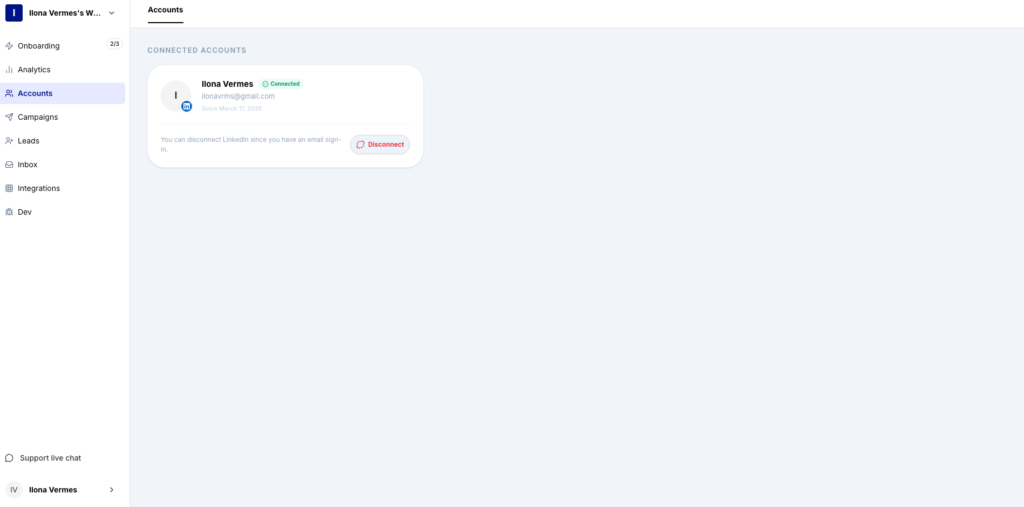
compte LinkedIn

XXX

What Good Results Look Like (Benchmarks)

When you successfully mimic human behavior, your metrics will shift from “vanity numbers” to actual revenue.

Metric

Target

Acceptance Rate

35% – 50%

Reply Rate

15% – 25%

Account Health

100% (No CAPTCHAs or warnings)

Sales Velocity

Consistent booked meetings, not spikes and dips

If your acceptance rate is low, your profile likely lacks “Authority Signals.” If your reply rate is low, your sequence is asking for too much too soon.

Common Mistakes to Avoid

  • IP Teleportation: Using cloud-based bots while simultaneously browsing on your phone. This is an immediate flag for “multiple users” on one account.
  • Over-Automating the First Message: Never try to sell in the connection note. A human uses the invite to open the door, not to deliver a brochure.
  • Ignoring the “I Don’t Know This Person” Flag: If you aren’t selective with your Evergreen Lead Loop, too many people will report your invites. This is the fastest way to get restricted.
  • Static Sequencing: Sending five follow-ups in five days. Real humans give people space. Space your follow-ups out by 3, 7, and 14 days to appear more natural.

Protect Your Profile, Scale Your Agency

You don’t have to choose between manual labor and the risk of a ban. By adopting a local-first strategy, you can mimic human behavior at scale while keeping your account safe on your own IP.

Let the software handle the repetitive clicks, the “lurking,” and the follow-ups. You focus on the strategy and the final mile of the sale. The future of outreach isn’t about being the loudest; it’s about being the most human.

Want safe, scalable lead generation that works 24/7 ?

Start today

MOST POPULAR

Share this post