Enjoy Lifetime Access to Hour Tag for Just $39!

LinkedIn Commercial Use Limit: How to Avoid It in 2026 

LinkedIn Commercial Use Limit: How to Avoid It in 2026

The Search Bar That Just Quit on You

You’re deep in the zone, finding the perfect decision-makers for your boutique agency. You go to click the next page of results, and suddenly, the profiles are blurred. A box pops up: “You’ve reached the monthly limit for profile searches.”

For a solopreneur or a startup founder, this is a wall. LinkedIn has decided you are using a free account for “commercial purposes” and wants you to pay $100+ a month for Sales Navigator. If you don’t pay, your lead generation is dead until the first of next month.

The LinkedIn Commercial Use Limit is designed to force you into a premium subscription. But even if you do pay, the way you search and outreach matters. If you use the wrong tools to bypass this limit, you aren’t just looking at blurred profiles—you’re looking at a permanent account ban.

Why the Current Approach to Prospecting Fails

Most founders react to the search limit in one of two ways: they stop prospecting entirely, or they turn to aggressive cloud-based scrapers. Both are mistakes.

Cloud-based tools try to “brute force” lead sourcing by running searches on remote servers. Because these tools use data center IP addresses that don’t match your physical location, LinkedIn’s 2026 detection AI flags them instantly. You might get your list, but you’ll lose your account in the process.

Manual prospecting is safer, but it’s a time sink you can’t afford. You end up hitting the LinkedIn Commercial Use Limit within the first week of the month because you’re clicking through profiles inefficiently. You need a system that maximizes every search you perform without triggering the platform’s security alarms.

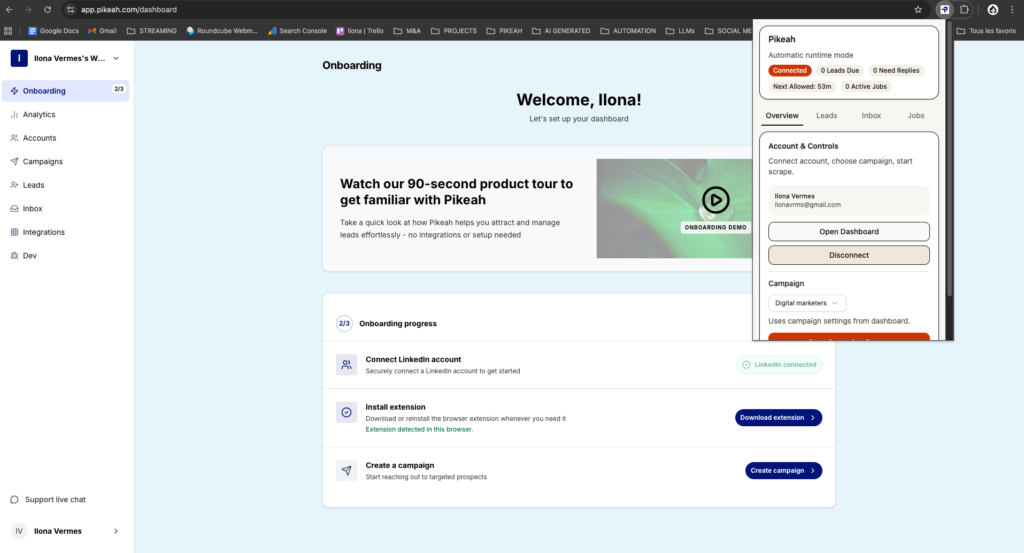
extension Pikeah

XXX

The Framework: The Local-First Search Strategy

To beat the limit and scale safely, you must move to a Local-First framework. This means your search and outreach actions happen directly in your own browser, on your own IP address.

By staying local, you ensure that every search performed looks like a standard human action. You aren’t “teleporting” to a server in another country to scrape data. You are simply browsing at a productive, human-mimicked pace.

The goal is to move from manual hunting to an Evergreen Lead Loop. Instead of performing 500 individual searches that eat up your monthly allowance, you define a single, high-powered search URL. A tool then monitors that URL, pulling in new results as they appear and dripping them into your campaigns. This protects your account and your search quota simultaneously.

How it Works in Practice

Avoiding the LinkedIn Commercial Use Limit while maintaining a full pipeline requires a shift in how you use the search bar.

1. The Power of Single-URL Search

LinkedIn tracks how many new searches you perform. If you keep hitting “Next” on different keywords, you trigger the limit faster.

  • Define one hyper-specific search (e.g., “Founders in London + Series A”).
  • Paste that specific LinkedIn URL into Pikeah.
  • Because the tool runs locally in your browser, it uses your native “trust” as a user.
  • It monitors that one URL for updates, reducing the total number of unique searches you need to run.

2. Establishing the Evergreen Lead Loop

This is your secret weapon against the monthly reset.

  • Once your search URL is set, the Evergreen Lead Loop automatically finds and injects fresh leads into your campaigns every week.
  • It identifies people who have recently changed jobs or matched your criteria without you having to re-run the search manually.
  • This keeps your outreach active even if you’ve technically hit your manual search limit for the month.

3. AI-Powered Sequence Efficiency

Since your searches are limited, you cannot afford a low reply rate. Every lead you find must be treated as high-value.

  • Use the AI Campaign Generator to build your sequences.
  • Describe your offer in one sentence, and let the AI draft a multi-step flow.
  • This ensures you aren’t wasting your precious search results on “spray and pray” messaging that gets ignored.

4. Smart CRM Sync for Pipeline Hygiene

Don’t waste time (or searches) checking if a lead is already in your CRM.

  • Connect your HubSpot or Salesforce directly.
  • Use Smart CRM Sync to only push leads into your pipeline after they reply.
  • This keeps your database clean and ensures your “Commercial Use” activity is focused entirely on converting warm leads.
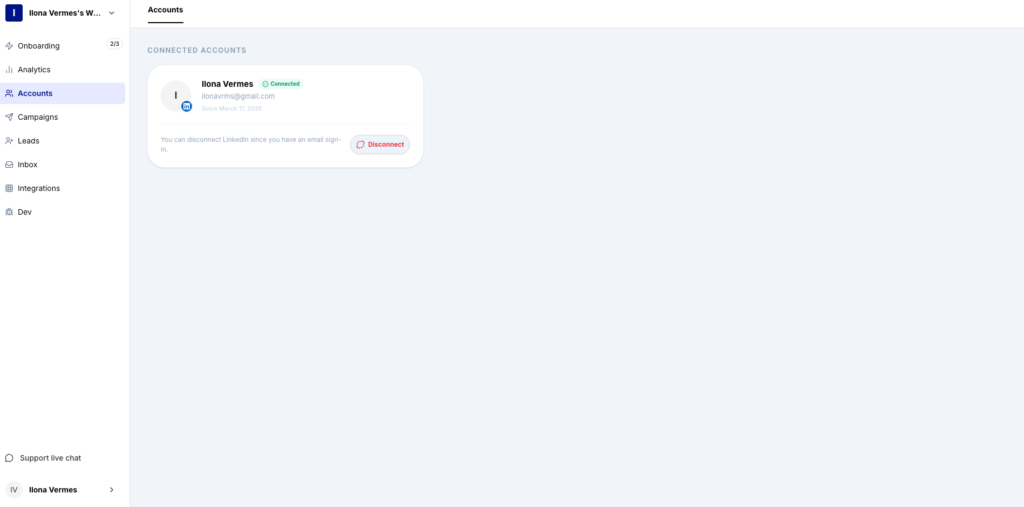
compte LinkedIn

XXX

What Good Results Look Like (Benchmarks)

When you manage the LinkedIn Commercial Use Limit effectively, your growth becomes a steady climb rather than a monthly spike and crash.

  • Search Longevity: You can sustain prospecting through the entire month without seeing blurred profiles.
  • Acceptance Rate: 30% – 45% (High relevance leads to fewer reports).
  • Account Safety: Zero “Suspicious Activity” warnings, as all actions occur on your local IP.
  • Lead Flow: A consistent 5-10 new B2B conversations started every week.

If you eventually decide to upgrade to Sales Navigator, this same framework will allow you to send 3x the volume with 10x the safety of cloud-based competitors.

Common Mistakes to Avoid

  • Repeated Broad Searches: Don’t search for “CEO” one day and “Founder” the next. These overlapping searches eat your limit twice as fast.
  • Using Cloud Scrapers: Avoid any tool that asks for your LinkedIn password to run “in the background” on their servers.
  • High-Speed Page Turning: If you click through 20 pages of search results in 60 seconds, LinkedIn knows you’re using a bot.
  • Neglecting Your SSI: Your Social Selling Index (SSI) affects your “trust” level. If you have a high SSI, LinkedIn is often more lenient with your commercial use thresholds.

Stop Fighting the Limit, Start Growing Safely

The LinkedIn Commercial Use Limit is a hurdle, but it doesn’t have to be a wall. By adopting a local-first strategy and letting an automated loop handle the discovery, you can build a consistent sales machine on your own terms.

Protect your IP, maximize your searches, and focus your energy on the conversations that actually close. Your agency’s growth shouldn’t be capped by a monthly reset.

Want safe, scalable lead generation that works 24/7 ?

Start today

MOST POPULAR

Share this post