Enjoy Lifetime Access to Hour Tag for Just $39!

How to Warm Up a New LinkedIn Account for Outreach Campaigns

How to Warm Up a New LinkedIn Account for Outreach Campaigns

The “New Account” Trap

You just launched your agency. You have a fresh LinkedIn profile, a killer offer, and a burning need for leads. You fire up an automation tool, load 500 prospects, and hit “Start.”

Within 48 hours, you’re locked out. LinkedIn sees a brand-new account behaving like a high-speed telemarketing bot. To the algorithm, you aren’t a founder; you’re a security threat.

If you want to run a high-volume outreach campaign without losing your account, you can’t just sprint from day one. You have to warm up a new LinkedIn account by teaching the algorithm that you are a real, valuable human.

Why the “Instant Scale” Approach Fails

Most founders treat LinkedIn like a numbers game. They assume that more messages equals more meetings. While true at scale, doing this on a fresh account is the fastest way to get a permanent “Hardware ID” ban.

Cloud-based automation tools make this worse. They log into your new account from remote servers in different countries. LinkedIn sees your account jumping across the globe and performing 100 actions a minute. It’s an immediate red flag.

When you ignore the warm up phase, your “Trust Score” remains at zero. Even if you don’t get banned, your messages will land in the “Other” folder. You’ll be shouting into a void because the platform doesn’t trust your profile yet.

extension Pikeah

XXX

The Framework: Gradual Trust Building

The goal of a successful warm up is to mimic the natural growth of a power user. You want to increase your activity in a way that looks intentional and organic.

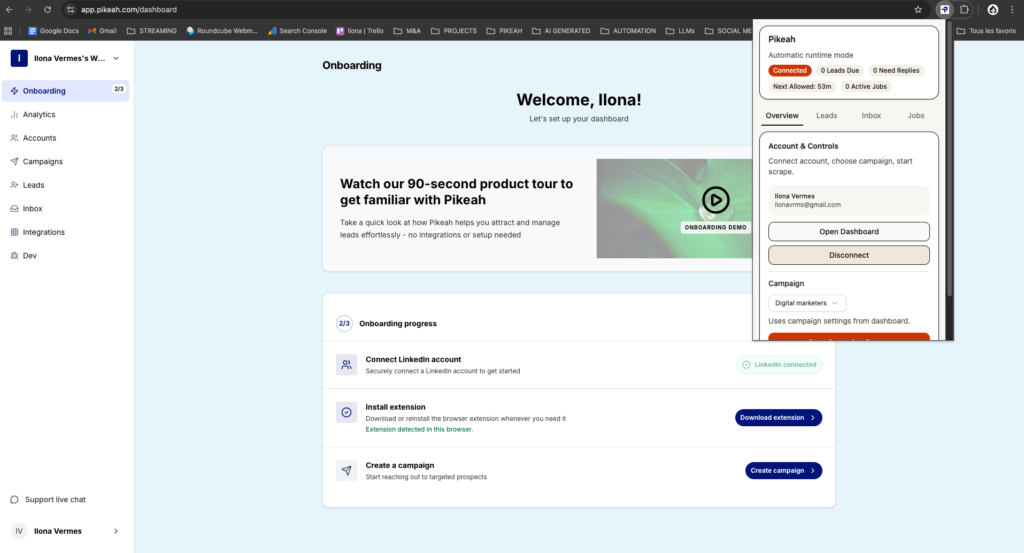
In 2026, the safest way to do this is with a Local-First framework. Instead of using a cloud bot, you use a Chrome Extension that runs on your own browser and your actual IP address. This ensures your digital footprint stays consistent.

You need to create an Evergreen Lead Loop. This means your account shouldn’t just send messages; it should engage with content, visit profiles, and endorse skills. By distributing your activity across different actions, you fly under the radar while building a sustainable pipeline.

How it Works in Practice: The 4-Week Warm Up

Scaling a new LinkedIn account requires a disciplined, step-by-step increase in volume. Follow this schedule to prepare for your first major outreach campaign.

Week 1: The Human Foundation

Focus on 100% manual activity. Don’t touch automation yet.

  • Complete your profile: A 100% complete profile is the first signal of trust.
  • Send 5 invites per day: Only to people you actually know or colleagues.
  • Engage with the feed: Like and comment on 5-10 posts daily.
  • Visit 10 profiles: Do this manually to establish a browsing history.

Week 2: Gentle Local Automation

Now, you can introduce a local-first tool like Pikeah. Because it runs on your browser, it uses your local IP and mimics human mouse movements.

  • Set your limit to 10 invites: Keep these highly targeted.
  • Use an AI Campaign Generator: Don’t send generic templates. Use AI to draft short, curiosity-based notes that get high acceptance rates.
  • Start an “Endorsement” Loop: Use automation to visit 15 profiles and endorse 1 skill. This “soft touch” builds rapport without being pushy.

Week 3: Expanding the Loop

Your “Trust Score” is rising. You can now begin to scale your outreach campaign.

  • Increase to 20 invites per day: Ensure your acceptance rate is above 30%.
  • Establish an Evergreen Lead Loop: Paste a search URL into Pikeah once. The tool will now automatically find and add a few new leads each day, ensuring your growth is steady rather than spikey.
  • Smart CRM Sync: Connect your HubSpot or Salesforce. Set it to only sync leads after they reply. This keeps your pipeline clean and avoids cluttering your CRM with “dead” leads.

Week 4: Full Momentum

By now, LinkedIn views you as an active, engaged professional.

  • Scale to 30-40 invites per day: This is the “sweet spot” for most boutique agencies.
  • Monitor your SSI: Keep your Social Selling Index above 60.
  • Leverage your inbox: The algorithm rewards accounts that get replies. Focus on having real conversations with those who respond to your automated sequences.
compte LinkedIn

XXX

What Good Results Look Like: 2026 Benchmarks

A well-warmed account should produce consistent, safe results. If your warm up was successful, aim for these numbers:

Metric

Target

Acceptance Rate

35% – 50%

Response Rate

15% – 25%

Pending Invites

Keep under 500 (withdraw old ones)

Account Health

Zero “Suspicious Activity” warnings

If your acceptance rate is low, your profile looks like a salesperson. If your response rate is low, your script is too “me-focused.”

Common Mistakes to Avoid

  • Using Cloud Tools: In 2026, cloud-based IP hopping is the #1 cause of new account bans. Always stay local.
  • Ignoring the “I Don’t Know This Person” Flag: If too many people click this, LinkedIn will force you to enter an email address for every invite.
  • High Volume on Day One: It’s tempting to move fast. Don’t. A week of patience saves you a lifetime of being blacklisted.
  • Zero Content Engagement: If you only send messages and never “Like” or “Comment” on the feed, you look like a bot. Real people consume content; bots only distribute it.

Scale Safely, Grow Faster

A new LinkedIn account is a powerful asset, but it’s fragile. By following a local-first warm up strategy, you turn your profile into a lead-generating machine that the algorithm actually trusts.

Focus on the long game. Build your Evergreen Lead Loop, protect your IP address, and let the software handle the repetitive clicks while you handle the strategy. Your next big client is waiting—just don’t get banned before you meet them.

Want safe, scalable lead generation that works 24/7 ?

Start today

MOST POPULAR

Share this post