Enjoy Lifetime Access to Hour Tag for Just $39!

Is Automating a Free LinkedIn Account Safe in 2026?

Is Automating a Free LinkedIn Account Safe in 2026 ?

The $100 Question You’re Avoiding

You want to scale your agency, but Sales Navigator costs roughly $100 per month. For a solopreneur or a tiny team, that’s a significant overhead before you’ve even booked a single meeting. You wonder: can I just automate my free LinkedIn account and get the same results?

The short answer is yes. The long answer is: only if you change how you think about automation.

In 2026, LinkedIn’s detection systems are tuned to catch “bot-like” behavior, not just paid versus free status. If you use the wrong tools, your free account will be flagged in hours. But with the right framework, safe automating is not only possible—it’s a competitive advantage.

Why the Current Approach Fails

Most founders treat a free account like a restricted Sales Navigator. They try to “bypass” LinkedIn’s limits by using cloud-based bots that send 100 invites a day. This is a suicide mission for your profile.

Cloud tools log into your account from remote data centers. When LinkedIn sees your account active in your home office and a server farm in Virginia simultaneously, it triggers an immediate security wall. For a free account, which already has lower “trust” thresholds, this is a permanent ban waiting to happen.

Furthermore, free accounts have strict commercial use limits. If you perform too many manual searches, LinkedIn will cut you off for the rest of the month. If your automation doesn’t account for these specific “Free Tier” guardrails, your outreach stops before it starts.

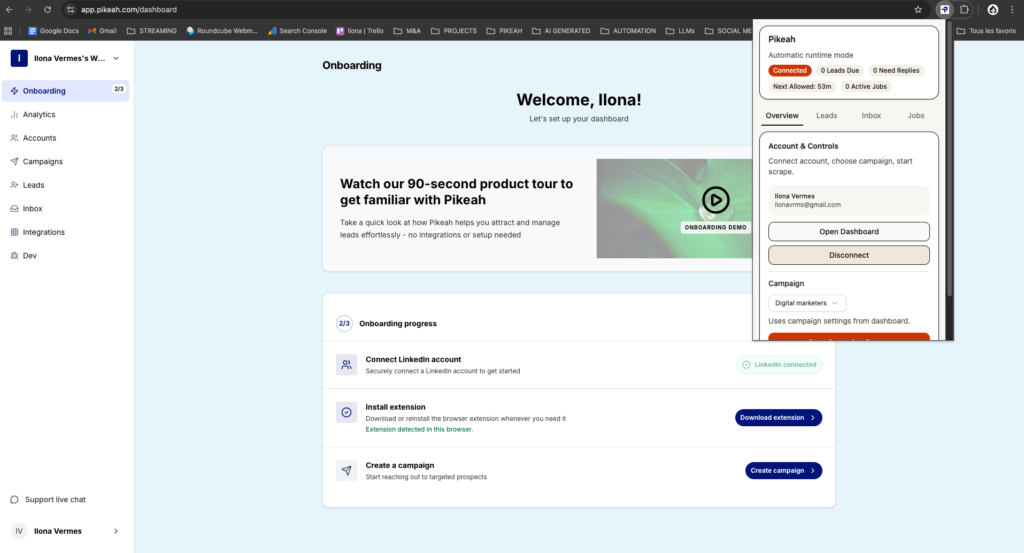
extension Pikeah

XXX

The Framework: The Local-First Safety Net

To win with a free account in 2026, you must adopt a Local-First framework. This means your automation doesn’t live in the cloud. It lives on your computer, inside your actual browser.

This approach ensures you are safe automating because the tool uses your real IP address. It mimics human behavior—randomizing the seconds between clicks, scrolling through profiles, and taking breaks. To LinkedIn, it looks exactly like you are browsing the site yourself.

The goal is to create an Evergreen Lead Loop. Since you can’t perform unlimited searches on a free account, you need a system that maximizes every lead it finds. You paste a search URL once, and the tool drips those leads into your campaign slowly over time, staying perfectly within the platform’s daily limits.

How it Works in Practice

Building a safe, automated machine on a free account requires a “quality over quantity” mindset. Here is how to execute it.

1. The Human Mimicry Protocol

LinkedIn monitors “velocity.” If you send ten invites in sixty seconds, you’re flagged.

  • Randomized Delays: Your tool should wait anywhere from 45 seconds to 5 minutes between actions.
  • Browser Execution: Run the outreach through a Chrome extension that uses your actual hardware ID and local IP.
  • Profile Warming: Before sending an invite, the tool should visit the profile and “lurk” for a few seconds, just like a human would.

2. Establishing the Evergreen Lead Loop

On a free account, your search results are limited. You can’t afford to waste them.

  • Perform one hyper-targeted search at the start of the week.
  • Paste that URL into Pikeah.
  • The system monitors the search and automatically finds “New Results.”
  • It injects these fresh leads into your sequences slowly, ensuring you never hit the “Commercial Use Limit” in a single day.

3. AI-Powered Relevance

On a free account, your weekly invite limit is lower. Every invite must count.

  • Use an AI Campaign Generator to draft your notes.
  • Describe your offer in one sentence, and let the AI build a multi-step sequence.
  • This ensures your messages are punchy and relevant, which boosts your “Acceptance Rate”—a key metric LinkedIn uses to decide if you are a spammer or a valued member.

4. Smart CRM Sync

Don’t clutter your sales pipeline with people who haven’t replied.

  • Connect your HubSpot or Salesforce.
  • Set the tool to only push data after a prospect responds.
  • This keeps your CRM clean and ensures you only spend time on high-intent leads.
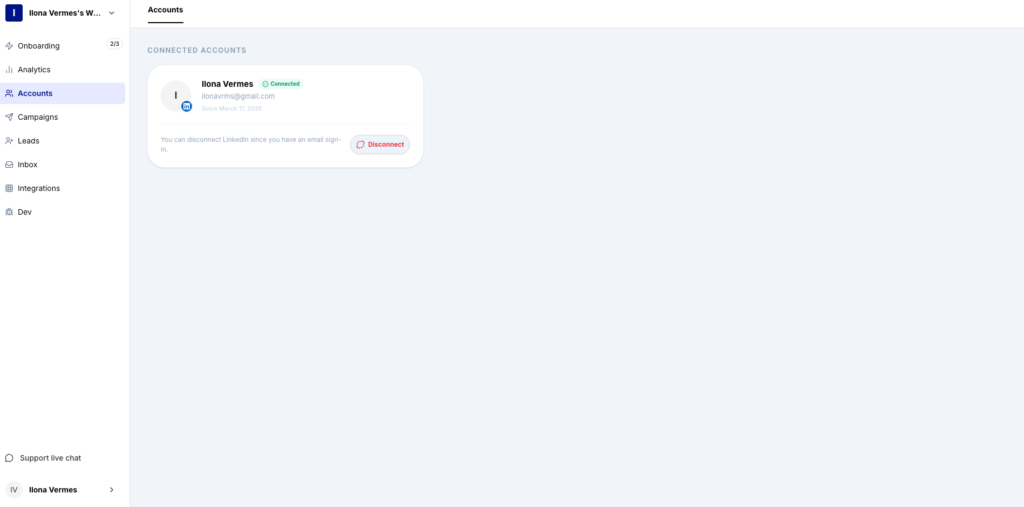
compte LinkedIn

XXX

What Good Results Look Like (Benchmarks)

Success on a free account is about consistency. You aren’t aiming for 500 invites a week; you’re aiming for 50 high-quality connections.

  • Acceptance Rate: 35% – 50% (higher relevance leads to higher trust).
  • Reply Rate: 15% – 25% (personalized AI sequences out-perform generic templates).
  • Account Safety: 100% uptime with zero “suspicious activity” warnings.
  • Meetings Booked: 1-3 discovery calls per week from a single free account.

If your acceptance rate is below 20%, your LinkedIn profile likely needs more “authority” signals, like a professional headshot or a clear value-driven headline.

Common Mistakes to Avoid

  • Exceeding Daily Caps: On a free account, stay under 15-20 connection requests per day. Pushing for more is the fastest way to get restricted.
  • Using Cloud Bots: This is the #1 reason for bans in 2026. If the tool asks for your LinkedIn password to run on their server, stay away.
  • Ignoring the “I Don’t Know This Person” Flag: If too many people click this, LinkedIn will force you to enter an email address for every invite.
  • Static Lists: Don’t keep hammering the same old CSV. Use an Evergreen Lead Loop to ensure you are always reaching out to fresh, active users.

Safe Scaling on a Budget

You don’t need a $100/month subscription to find your next five clients. You just need to be smarter than the algorithm. By using a local-first strategy and focusing on safe automating, you can build a sustainable B2B lead machine on a free account.

Protect your IP, personalize your outreach, and keep your activity human. When you’re ready to scale even further, the transition to Sales Navigator will be a choice, not a requirement.

Want safe, scalable lead generation that works 24/7 ?

Start today

MOST POPULAR

Share this post