Enjoy Lifetime Access to Hour Tag for Just $39!

LinkedIn Account Restricted ? Here is Your 2026 Recovery Plan

LinkedIn Account Restricted? Here is Your 2026 Recovery Plan

The Red Banner That Stops Your Business Cold

You go to check your messages, but the screen is different. A red banner sits at the top: “Your account has been temporarily restricted.” Your heart drops.

For an agency owner or solopreneur, your LinkedIn profile is your storefront, your rolodex, and your primary lead source. When your LinkedIn account restricted message appears, your entire B2B sales engine grinds to a halt.

Most founders panic. They try to open new accounts or spam LinkedIn’s support team, which only makes the situation worse. If you want to recover your profile and ensure this never happens again, you need a calm, systematic approach to recovery.

Why the Current Approach to Outreach Fails

Most restrictions in 2026 aren’t bad luck; they are the result of outdated technology. If you use cloud-based automation, you are essentially gambling with your professional identity.

Cloud tools log into your account from remote data centers. When LinkedIn sees you log in from your laptop in London while a bot logs in from a server in Virginia, it triggers an immediate security flag. This “geographic teleportation” is the #1 reason accounts get flagged.

Furthermore, many legacy tools send messages at a robotic, unvarying pace. LinkedIn’s AI is now highly sensitive to “inhuman velocity.” If you are performing actions faster than a human can click, or from an IP address that doesn’t match your own, you are a target.

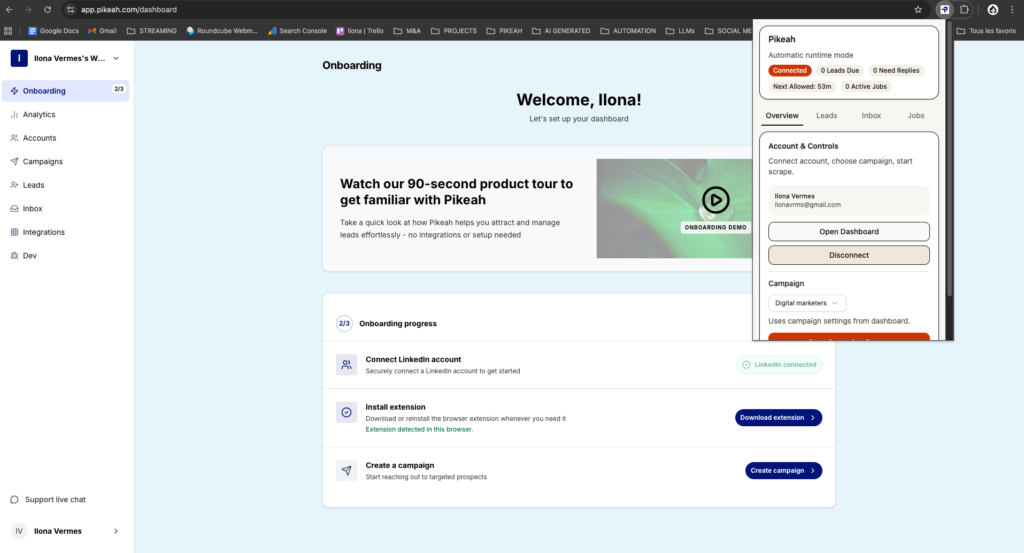
extension Pikeah

XXX

The Framework: Local-First Safety and Recovery

To recover—and protect—your account, you must adopt a Local-First framework. This means moving away from “always-on” cloud bots and toward tools that live where you live.

A local-first system runs as a Chrome Extension on your own browser. It uses your residential IP address and mimics human behavior, including natural pauses and scrolling. This makes your outreach invisible to LinkedIn’s automated detection systems.

The goal is to build an Evergreen Lead Loop. Instead of aggressive, high-volume blasts that trigger bans, you want a steady, rhythmic drip of leads. You paste your search URL once, and the system finds and engages new prospects at a human pace, keeping you under the radar and out of “LinkedIn Jail.”

What to Do If Your LinkedIn Account Gets Restricted: Step-by-Step

If you’ve been hit with a restriction, follow these steps immediately to maximize your chances of recovery.

Step 1: Stop All Automation Immediately

The moment you see a warning or a restriction, disconnect every third-party tool. If you have a cloud bot running, it may still be trying to log in even while you are locked out. This will look like a hacking attempt to LinkedIn and could lead to a permanent ban.

Step 2: The “Identity Verification” Path

Most 2026 restrictions are “temporary” and require a simple ID check.

  • LinkedIn will ask for a photo of your Passport or Driver’s License.
  • Do not use a fake ID or a secondary account. * Submit your real documents. LinkedIn uses this to verify that a human, not a bot, owns the profile. This usually resolves the issue within 48 to 72 hours.

Step 3: Appeal the Decision (If Necessary)

If your account remains restricted after ID verification, you must submit a formal appeal.

  • Keep it professional and brief.
  • Acknowledge that you may have used “unsupported browser extensions” (even if you didn’t think they were an issue).
  • State that you have removed all third-party software and intend to follow their User Agreement moving forward.

Step 4: The “Cool Down” Period

Once your account is restored, do not start prospecting immediately.

  • Spend 3-4 days doing 100% manual activity.
  • Like a few posts, comment on industry news, and reply to existing messages.
  • This “warmed up” behavior proves to the algorithm that the human is back in control.

Step 5: Implement a Safe, Local-First System

When you are ready to automate again, you must switch to a local-first extension.

  • Pikeah runs on your browser and IP address, ensuring no geographic mismatches.
  • Use an AI Campaign Generator to create unique, human-sounding sequences.
  • This prevents “content flagging” where the same generic spam message is sent to hundreds of people.
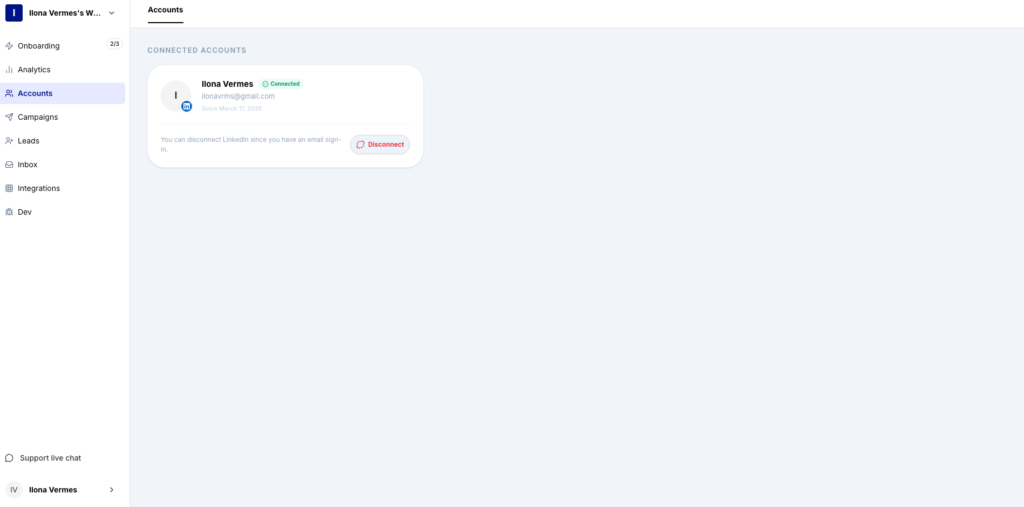
compte LinkedIn

XXX

What Good Results Look Like (Benchmarks)

Recovery is a marathon, not a sprint. Once you are back online with a safe system, aim for these benchmarks to maintain account safety:

  • SSI Score: Maintain a Social Selling Index above 60 to show LinkedIn you are a high-value user.
  • Acceptance Rate: Aim for 30% or higher. Low acceptance rates signal to LinkedIn that you are bothering people.
  • Daily Limits: Keep connection requests between 20-40 per day on a restored account.
  • Smart CRM Sync: Only push data to HubSpot or Salesforce after a lead replies. This keeps your pipeline focused on quality engagement.

Common Mistakes to Avoid

  • Creating a Second Account: This is against LinkedIn’s Terms of Service. If they link the two accounts via your IP address, they will ban both permanently.
  • Using “Proxy” Servers: Many cloud tools offer proxies to hide their location. LinkedIn’s 2026 AI easily identifies these data center IPs.
  • Aggressive Outreach Post-Restoration: If you go from zero messages to 100 messages the day you get your account back, you will be restricted again within hours.
  • Ignoring Pending Invites: Having 1,000 unaccepted invites looks like spam. Withdraw any request that hasn’t been accepted in 14 days to keep your “reputation score” high.

Protect Your Pipeline for the Long Term

A LinkedIn account restricted notification is a wake-up call. It means your current tech stack is a liability. By moving to a local-first architecture and focusing on evergreen loops, you can scale your agency without the constant anxiety of a ban.

Scale your B2B lead generation with the confidence that your profile is protected by your own browser. The safest way to grow is to stay human.

Want safe, scalable lead generation that works 24/7 ?

Start today

MOST POPULAR

Share this post